SSB
General/Employee
The portions of Self-Service Banner related to General/Employee menu functions are now live as of November 10, 2025.
Employee Menu
The Employee menu in PipelineMT utilizes SSB9 for important functions like time entry, leave reports, and leave approvals. The links within Pipeline MT direct you to the new look for each of these. A detailed guide is available at the link below with instructions on how to navigate these new links within SSB9. For issues related to employee links, please reach out to Darren Dickerson in Human Resources at [email protected].
See below for a tutorial video about to access and/or approve Leave Reports in the new Employee menu of SSB9.
General Information
Students, faculty, and staff utilize a general information page to view and update information such as phone numbers, email addresses, and postal addresses. This centralized page is only viewable to the user. Some information may not be updated via PipelineMT and requires contacting the appropriate campus office:
- Legal Name
- Employees: Contact Human Resource Services
- Students: Complete the Name Change Request form found at mtsu.edu/one-stop/forms
- Legal Sex, Marital Status, Date of Birth
- Employees: Contact Human Resource Services
- Students: Email [email protected] for assistance
- Permanent Address/Phone Number
- Employees: Submit Change of Address form found at hrs.mtsu.edu/hrs_forms
- Students: Submit Change of Address request found at mtsu.edu/resources/change-address
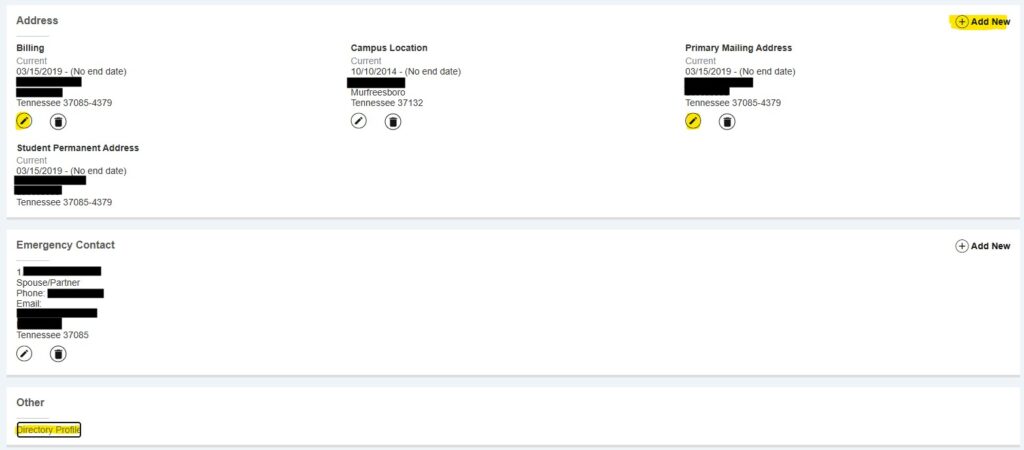
The General lnformation page in SSB9 looks similar to the screenshots below. It displays the personal details, email addresses, phone numbers, postal addresses, and emergency contact information that we have on file for the user. This information should be kept up to date so that MTSU is able to stay in touch as needed.
To get started, log into PipelineMT and look for the Personal Information box on the Home menu:

Select “Update Personal Information” to take you to the General Information page:
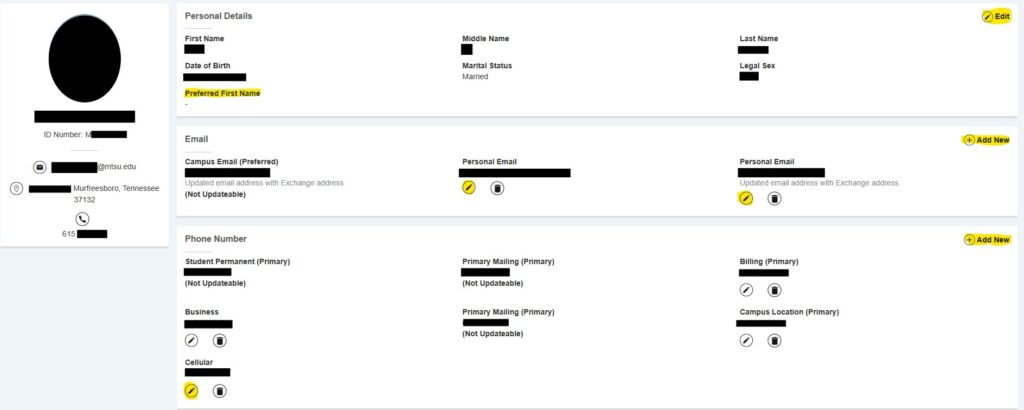
Under Personal Details you are only able to update your Preferred Name, which is optional to include. Visit the Preferred Name page for more information about how and where preferred names are used on campus. All other changes to personal details must be completed by the appropriate office on campus. Any changes to preferred name typically take a couple of days to fully update.
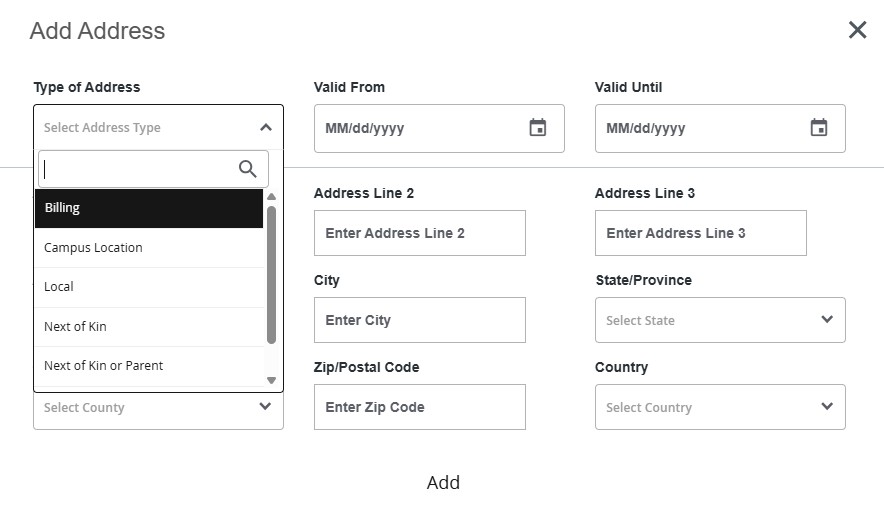
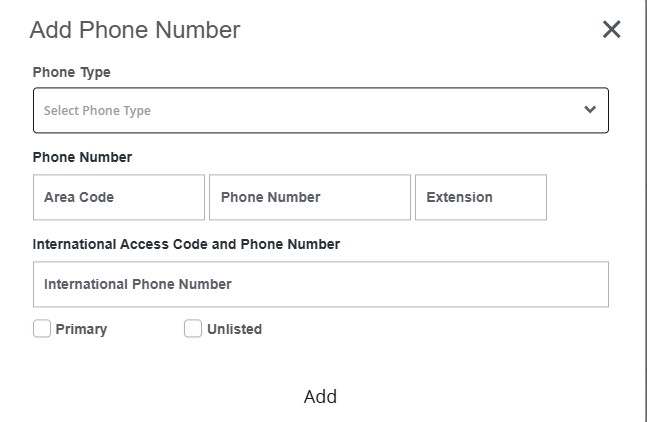
You may update or add new email addresses, phone numbers, and postal addresses as needed by either clicking the “Add New” button or the pencil icon to edit existing information. Permanent address, permanent phone number, and campus email are not updateable fields on this page. It is also encouraged to list emergency contact information on this page. When adding or editing addresses and phone numbers, select the appropriate type to attach it to. If the option to select a type does not populate, refresh the page and try again.
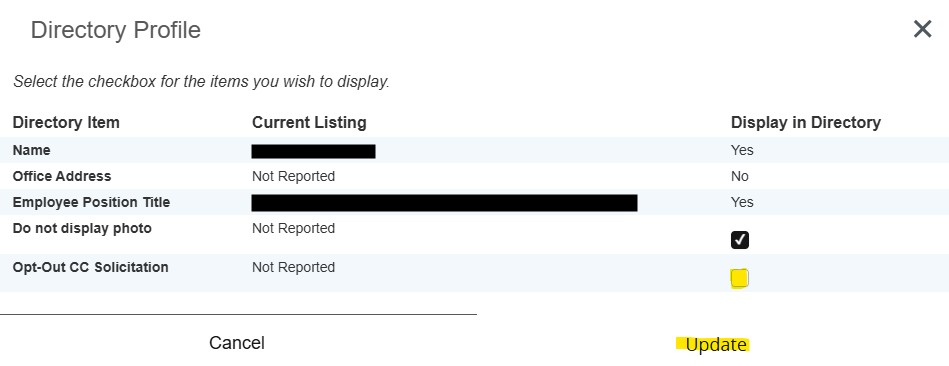
At the bottom of the General Information page is a link to Directory Profile. This information displays how your name will look in the campus directory and provide an option to not display a photo. There is also an option here to opt out of credit card solicitation if you are a student, but currently campus policy does not allow MTSU to release that information to any third party.