
MTSU Web Training Hub
Templates, Template Parts & Reusable Content
Consistency is an important part of creating a professional and user-friendly website.
Templates, template parts, and reusable content help maintain a consistent experience across pages while reducing the amount of work required to build and maintain content.
In this module, you’ll learn how these tools are used throughout MTSU websites and how they can help create organized, consistent, and easily maintained content.
Learning Objectives
By the end of this module, you will be able to:
- Explain the purpose of templates and template parts.
- Identify the standard page templates available on MTSU websites.
- Understand how reusable content supports consistency.
- Recognize when patterns and reusable layouts should be used.
- Apply best practices for maintaining consistent page structures.
Why Consistency Matters
Visitors should be able to move throughout your website without learning a new layout on every page.
Consistent design helps visitors:
- Find information more easily
- Navigate between related pages
- Understand page organization
- Focus on content rather than layout differences
Consistency also reduces maintenance and helps ensure branding standards are followed throughout a site.
Page Templates
Templates control the overall layout and structure of a page.
When creating or editing a page, you may be able to choose from several standard templates. Each template is designed for a different content need.
Standard Page Templates
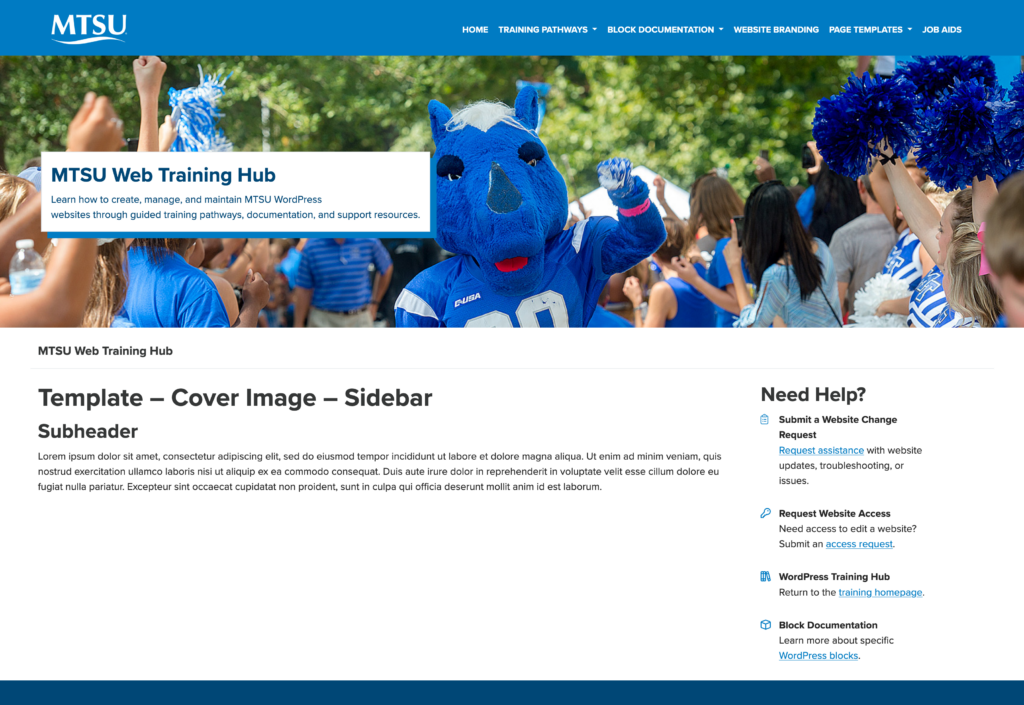
Page (Banner & Sidebar)
✅ Banner
✅ Sidebar
Used for section pages
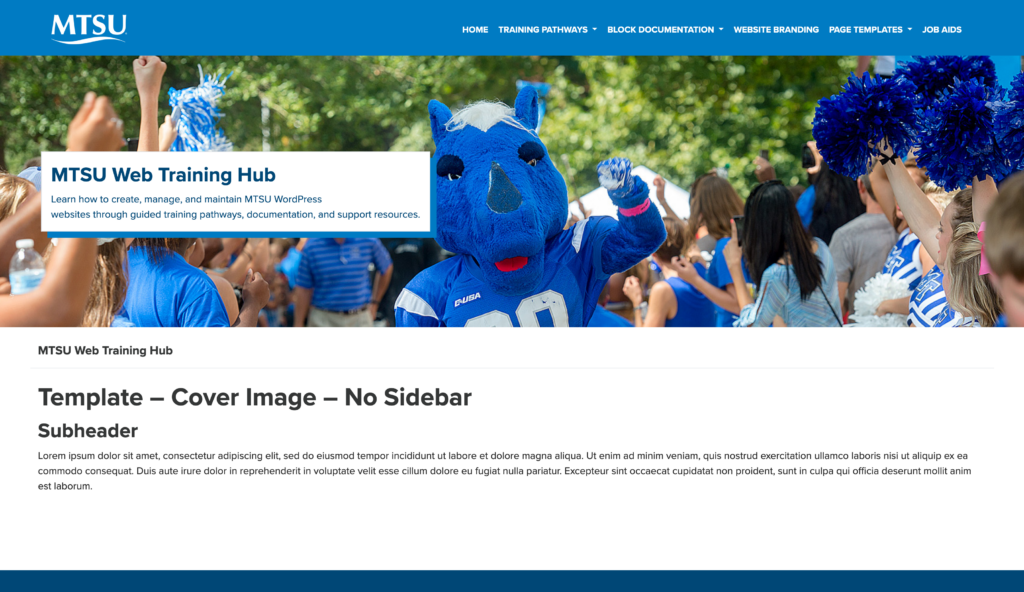
Page (Banner Without Sidebar)
✅ Banner
❌ Sidebar
Used for landing pages
Page (Sidebar Without Banner)
❌ Banner
✅ Sidebar
Used for supporting content within a section

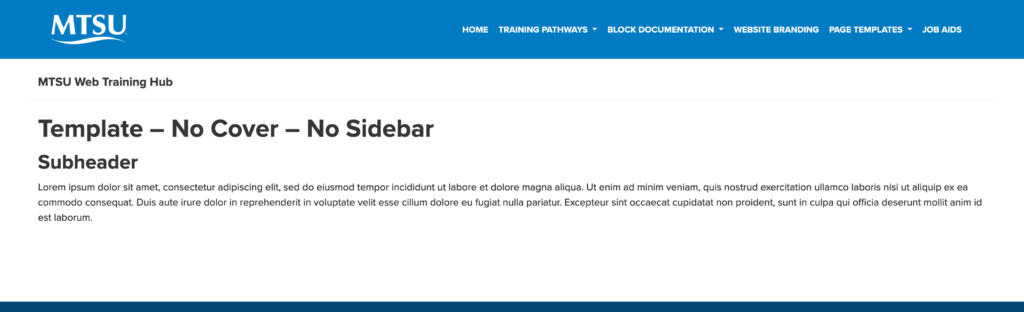
Page (Without Banner or Sidebar)
❌ Banner
❌ Sidebar
Used for simple content pages and special-purpose pages that do not require additional page elements.
Choosing the Right Template
When selecting a template, consider:
- Does this page need section navigation?
- Does this page need introductory content at the top?
- Will visitors benefit from additional context?
- Does the page belong to an existing section of the site?
Choosing the appropriate template helps maintain consistency throughout the website.
Template Parts
Template parts are reusable sections that can appear across multiple pages.
Rather than recreating the same content on every page, template parts help maintain consistency throughout a section of a website.
At MTSU, the most commonly used template parts are:
- Top Banner
- Sidebar
Because template parts may appear on multiple pages, changes should be made carefully and reviewed before publishing.
Note: Some template parts are managed by the website theme and are not editable by Site Managers. This training focuses on the template parts commonly used when managing page content.
Accessing Template Parts
Template parts can be accessed through the Site Editor.
To access editable template parts:
- Open Appearance → Design.
- Select Patterns.
- Choose All Template Parts.
- Select the template part you want to edit.
Common template parts include:
- Top Banner
- Sidebar
Note: Changes made to a template part may affect multiple pages across your website. Review updates carefully before publishing.
Top Banner Template Part
Many MTSU websites use a Top Banner template part to provide visitors with context and orientation.
The Top Banner typically includes:
- Page or section title
- Introductory information
- Section-specific messaging
Best Practices
✅ Keep messaging brief and focused
✅ Clearly describe the purpose of the section
✅ Use consistent language throughout related pages
✅ Review content periodically for accuracy
Avoid
❌ Writing lengthy introductions
❌ Repeating information already found elsewhere on the page
❌ Using inconsistent messaging between related sections
The banner should provide helpful context without distracting from the page content.
Sidebar Template Part
Many MTSU websites use a Sidebar template part to display supporting information that should remain visible across multiple pages.
The sidebar helps visitors:
- Contact information
- Office hours
- Important links
- Related resources
- Calls to action
- Department-specific information
Best Practices
✅ Keep links consistent across related pages
✅ Organize links logically
✅ Review links regularly
✅ Remove outdated resources
Avoid
❌ Creating different sidebar structures within the same section
❌ Including unnecessary links
❌ Allowing outdated links to remain visible
A consistent sidebar creates a more predictable and user-friendly experience.
Reusable Content
Reusable content allows the same layout or structure to be used repeatedly throughout a website.
Examples include:
- Call-to-action sections
- Contact information blocks
- Resource lists
- Frequently used page layouts
- Standard content sections
Reusable content reduces duplication and makes updates easier to manage over time.
Patterns
Patterns are predefined collections of blocks that can be inserted into pages and customized as needed.
Patterns help:
- Speed up content creation
- Maintain consistent layouts
- Improve visual consistency
- Reduce formatting issues
Common Uses
- Contact sections
- Resource grids
- Call-to-action blocks
- Content layouts
- Information cards
Using patterns can help create a more consistent experience for visitors while reducing the amount of manual formatting required.
Choosing the Right Approach
Use the following guidelines when deciding how content should be managed.
| Situation | Recommended Approach |
|---|---|
| Building a new page within an existing section | Use the established template and sidebar |
| Creating common page layouts | Use patterns whenever possible |
| Update the sidebar template part | Update the sidebar template part |
| Updating section-wide messaging | Update the top banner template part |
| Creating one-time unique content | Use standard blocks |
Best Practices for Consistent Content
Benefits of Reusable Content
✅ Improve consistency across pages
✅ Reduce maintenance effort
✅ Simplify future updates
✅ Support branding standards
✅ Create a more predictable user experience
✅ Reduce repetitive content creation
Common Mistakes to Avoid
❌ Creating different layouts for similar content
❌ Rebuilding common sections from scratch
❌ Using inconsistent navigation between pages
❌ Duplicating content unnecessarily
❌ Making one-off layout changes that create inconsistency
When possible, reuse existing structures rather than creating new versions of similar content.
Site Manager Checklist
Verify pages are using the appropriate template
Review top banner content for accuracy
Confirm sidebar links remain current
Use established patterns when appropriate
Maintain consistency across related pages
Remove duplicate content where possible
Review reusable content for outdated information
Follow established site standards
Remember
- Templates provide page structure.
- Template parts provide reusable site-wide or section-wide content.
- Patterns help create consistent layouts.
- Reusable content reduces maintenance and duplication.
- Consistency improves the visitor experience.
Before Moving On
Explain the purpose of templates and template parts
Identify the standard page templates available on MTSU websites
Understand how reusable content supports consistency
Recognize when patterns and reusable layouts should be used
Apply best practices for maintaining consistent page structures
Next Module: Forms & Data Collection
Learn how to:
- Understand the purpose of online forms
- Create and manage Gravity Forms
- Configure form notifications and confirmations
- Apply accessibility best practices to forms
- Review and maintain forms over time
Need Help?
Submit a Website Change Request
Request assistance with website updates, troubleshooting, or issues.
Request Website Access
Need access to edit a website? Submit an access request.
WordPress Training Hub
Return to the training homepage.
Block Documentation
Learn more about specific WordPress blocks.