Jones College of Business IT Services
Using New SAMSUNG SVP-6000 ELMO

The Samsung SVP-6000 is a digital Visual Presenter. This model requires the use of an Extron switch box. The switch box is located under the Visual Presenter, inside the Nova station desk. You will need to open the right hand door of the Nova station to access the switch box.
To Show a PowerPoint Presentation
- Turn Computer On.
- Turn Projector On.
- Select COMPUTER (RGB1 or RGB2) on the projector remote control.
- Press 1 ( Computer) on the Extron box.

To Show a Document with the Visual Presenter
- Turn Computer On.
- Turn Projector On.
- Turn Visual Presenter On.
- Select COMPUTER (RGB1 or RGB2) on the projector remote control.
- Press 2 ( Presenter) on the Extron box.
- Press ” LAMP” on the Visual Presenter to turn on the side lamps. Press ” LAMP” a second time to turn on the base lamp for transparencies. Press ” LAMP” one more time to turn all lamps off.
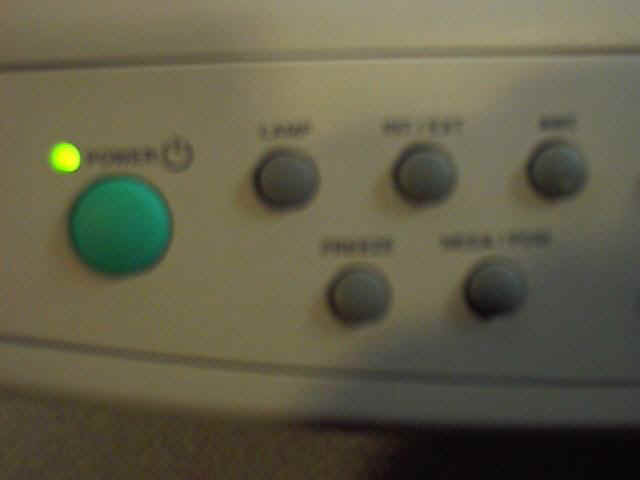
- If the screen displays a ” NO SYNC” message, press the ” INT/EXT” button on the Visual Presenter unit.
Please wait at least 10 seconds after you press the button.
The image will appear in the computer monitor and the Projector screen.
To Show a Video using the VCR
- Turn VCR On.
- Turn Projector On.
- Insert Video in VCR and press PLAY.
- Make sure the the audio controls are properly set.
- Select Video on the Projector remote control.
Lab Hours
Sun
Mon
Tue
Wed
Thu
Fri
Sat
1 PM - 12 AM
7 AM - 12 AM
7 AM - 12 AM
7 AM - 12 AM
7 AM - 12 AM
7 AM - 6 PM
9 AM - 6 PM
Lab Opens
Mon, Aug 24th @ 7:00 AM
Scheduled Closings
Labor Day:
Mon, Sep 7th
Fall Break:
Sat, Oct 10th - Tue, Oct 13th
Thanksgiving:
Wed, Nov 25th - Sat, Nov 28th
Close for End of Semester
Thu, Dec 10th @ 10:00 PM